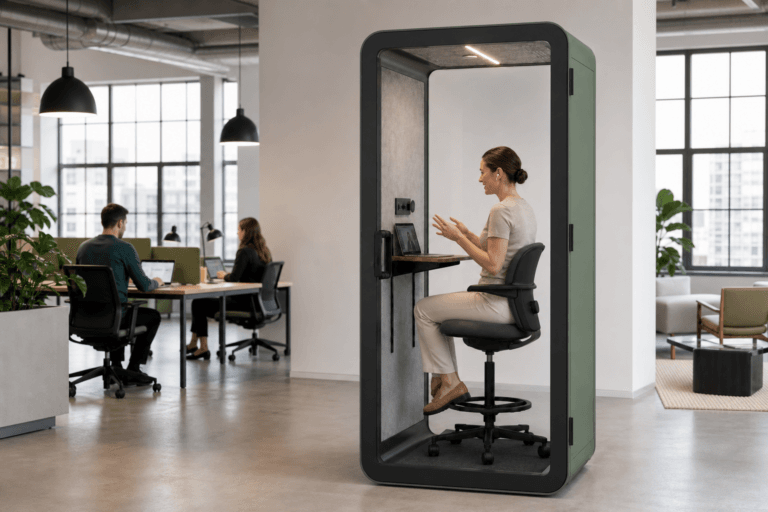
In breve
I problemi più comuni dei phone booth sono perdite sonore dalla porta, aria viziata, difficoltà di chiusura, guasti a prese o USB e problemi di collocazione. Il facility team deve iniziare con controlli visivi sicuri, documentare il sintomo, verificare se riguarda uno o più booth e affidare a specialisti vetro, cablaggi, disallineamenti importanti o conformità.
Ultimo aggiornamento: 9 luglio 2026 | Autore: Richard | Tempo di lettura stimato: 8 minuti
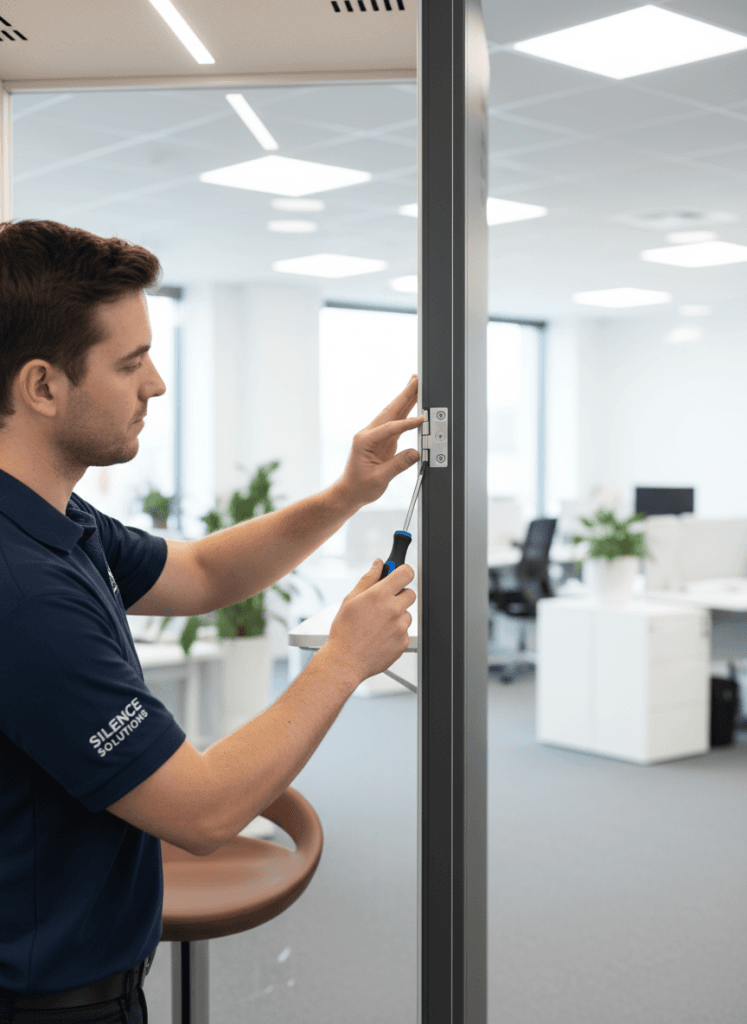
A chi è rivolta questa guida
Ultimo aggiornamento: 9 luglio 2026 | Autore: Richard | Tempo di lettura stimato: 8 minuti
Un phone booth deve facilitare le chiamate private, non creare una nuova coda di manutenzione. Quando emergono reclami, la domanda pratica è se la causa sia chiusura della porta, contatto delle guarnizioni, controllo dell'aria, alimentazione, posizione o condizioni del sito.
La guida è per facility manager, acquisti, operatori workplace e assistenza che devono classificare rapidamente problemi comuni prima di chiamare produttore o installatore. Non sostituisce manuale, verifica normativa locale o servizio elettrico qualificato, ma offre una prima risposta strutturata.
Se stai ancora confrontando i modelli prima dell’acquisto, consulta le opzioni di B&H Ergonomics’ Phone booth insonorizzato tenendo presente che le prestazioni acustiche reali dipendono dalla costruzione, dalla chiusura della porta, dall’installazione e dalle condizioni del sito.
Problemi più comuni dei phone booth
La maggior parte dei reclami rientra in un breve elenco. Inizia qui prima di presumere che l'unità vada sostituita.
| Reclamo dell'utente | Area probabile | Primo controllo sicuro | Quando affidarlo a specialisti |
|---|---|---|---|
| "Le persone mi sentono fuori dallo spazio". | Chiusura, guarnizioni, fessure e aspettative acustiche | Controllare se la porta chiude completamente e le guarnizioni toccano uniformemente | La fessura resta, la porta non chiude in modo affidabile o il telaio sembra disallineato |
| "L'interno è caldo o viziato". | Ventilazione, aperture bloccate, impostazione ventola o condizioni della stanza | Confermare il funzionamento, controllare le aperture e regolare la velocità se disponibile | Il flusso resta debole, il rumore è anomalo o gli utenti sono scomodi durante normali chiamate brevi |
| "La porta sfrega o si incastra". | Livellamento, cerniere, pavimento irregolare o ricollocazione | Individuare dove sfrega e verificare il livello | Lo sfregamento persiste, il movimento del vetro cambia o la forza di chiusura diventa pericolosa |
| "Luci, USB o prese non funzionano". | Alimentazione di origine, reset accessibile, modulo accessorio o cablaggio | Provare l'alimentazione e usare solo reset accessibili approvati dal produttore | Sfarfallio, odore di bruciato, guasti ripetuti o cavi esposti |
| "L'unità installata è stata segnalata". | Distanze, porta, esodo, accessibilità, sprinkler o verifica del sito | Confrontare la posizione con i documenti approvati | Resta irrisolta una questione normativa, di accessibilità, antincendio o dell'autorità competente |
Problema 1: perdite sonore intorno alla porta
È uno dei reclami più comuni. Spesso viene descritto come "scarsa insonorizzazione", ma la causa è più specifica: chiusura incoerente, guarnizione sporca o irregolare, unità non più in piano oppure aspettativa di silenzio totale da un prodotto destinato alla privacy e riduzione sonora.
Che cosa controllare prima
Chiudi lentamente e osserva l'intera linea di contatto. La porta raggiunge una posizione stabile o resta socchiusa? Un angolo è più stretto? Le guarnizioni toccano uniformemente?
Controlla poi le fessure visibili. Una prova della luce può mostrare dove manca contatto. Non spingere, piegare, tagliare o modificare la guarnizione senza istruzioni del produttore.
Perché la chiusura conta
Anche un'unità ben costruita rende male se la porta non chiude. Perciò B&H Ergonomics usa chiudiporta e porte magnetiche nei modelli pertinenti: aiutano a raggiungere una posizione stabile e riducono perdite da chiusura incompleta.
Una porta magnetica non supera ogni problema d'installazione. Pavimento irregolare, movimento del telaio, uso intenso, ricollocazione o usura incidono comunque. Ma un meccanismo stabile riduce una causa semplice: una porta apparentemente chiusa ma non assestata.
Che cosa può fare il facility team
- Pulire le guarnizioni accessibili con un panno morbido.
- Verificare la chiusura coerente del fermo o contatto magnetico.
- Confrontare il reclamo con un'altra unità dello stesso modello.
- Annotare se è iniziato dopo spostamento, urto, pulizia o uso intenso.
- Fotografare fessure o contatti irregolari prima dell'escalation.
Affida il problema a specialisti se la porta non è in squadra, la guarnizione è danneggiata, il chiudiporta è anomalo o la privacy cala improvvisamente dopo lo spostamento.
Problema 2: il booth è caldo o viziato
L'aria viziata è un altro reclamo frequente. Può dipendere da aperture bloccate, polvere, risposta debole della ventola, scarsa circolazione nella stanza o impostazione inadatta all'uso reale.
Un phone booth è un piccolo spazio chiuso e gli utenti notano rapidamente i cambiamenti, soprattutto con chiamate consecutive.
Che cosa controllare prima
Conferma che la ventola si accenda quando occupato. Se regolabile, prova le impostazioni e verifica se cambia il reclamo. Ispeziona prese e scarichi visibili per polvere, residui d'imballaggio, arredi vicini o pareti che limitano il flusso.
Se un'unità è viziata ma quelle vicine no, il problema può essere locale. Se sono diverse, verifica frequenza di pulizia, temperatura, circolazione dell'area e idoneità del tipo di prodotto all'uso.
Quando aiuta la velocità regolabile
Offre più controllo per chiamate lunghe, stanze calde o aree trafficate. Non risolve aperture bloccate o distanze insufficienti, ma consente una regolazione utile prima di presumere un guasto.
Per un contesto di pianificazione più approfondito, usa la guida B&H Ergonomics per Ventilazione dei phone booth quando valuti le aspettative relative al flusso d’aria, al comfort e ai controlli per l’acquirente.
Problema 3: la porta sfrega, si incastra o non chiude bene
Indica generalmente un problema di allineamento. Cause comuni: pavimento irregolare, cambi di livello, movimento delle cerniere, tensioni dopo spostamento o dislivello sul percorso della porta.
È importante perché il movimento incide anche sul contatto delle guarnizioni e sulla privacy.
Passaggi di risoluzione
- Individuare il punto esatto: pavimento, soglia, telaio laterale o angolo superiore.
- Verificare il livello secondo il metodo di regolazione approvato dal produttore.
- Cercare dislivelli, bordi della moquette o cambi di superficie.
- Chiedere se l'unità è stata spostata di recente.
- Documentare con foto e breve video se serve assistenza.
Non forzare la chiusura né modificare cerniere senza istruzioni. Se il movimento del vetro cambia improvvisamente, considera urgente l'assistenza.
Problema 4: luci, prese, USB o ventole smettono di funzionare
I reclami elettrici richiedono limiti di sicurezza più rigidi. Il team può controllare alimentazione di origine, una presa sicuramente funzionante, se il guasto riguarda una funzione e gli eventuali reset dichiarati accessibili.
Non aprire moduli elettrici sigillati, rimuovere pannelli interni o intervenire sui cablaggi, a meno che non sia coinvolto personale di assistenza qualificato. OSHA segnala che l'elettricità è un serio pericolo sul lavoro e che i lavoratori possano essere esposti direttamente o indirettamente a rischi elettrici negli ambienti di lavoro.
Primi controlli sicuri
| Verifica | Che cosa indicano |
|---|---|
| Provare la presa a parete con un dispositivo funzionante | Se l'alimentazione dell'edificio è attiva |
| Controllare se sono guaste tutte le funzioni o soltanto USB, luce o ventola | Se il problema è generale o specifico di un modulo |
| Usare soltanto comandi di reset accessibili approvati | Se si tratta di una semplice condizione di reset |
| Confrontare con un'altra unità sullo stesso circuito | Se il problema riguarda l'alimentazione locale o il prodotto |
Affidare immediatamente a specialisti se vi sono odore di bruciato, sfarfallio, interventi ripetuti dell'interruttore, cavi esposti o danneggiati o guasti ricorrenti dopo il reset.
Problema 5: sospensione dell'uso o problemi d'ispezione
Alcuni problemi non sono difetti del prodotto, ma del sito.
Un ambiente chiuso può essere fisicamente funzionale, ma sollevare comunque dubbi sull’accesso degli utenti, sul movimento della porta, sulle vie di emergenza, sull’accesso all’alimentazione elettrica, sul coordinamento con gli sprinkler o sulla documentazione approvata del sito. I Standard ADA 2010 per la progettazione accessibile costituiscono un importante punto di riferimento negli Stati Uniti, ma l’accessibilità effettiva e la verifica della conformità normativa dipendono dal contesto di installazione e dai requisiti dell’autorità locale.
Che cosa verificare
- L'unità restringe un percorso obbligatorio?
- L'apertura della porta interferisce con la circolazione?
- Esiste sufficiente spazio di avvicinamento?
- L'accesso elettrico è pianificato in sicurezza?
- La posizione corrisponde ai documenti approvati?
- Sono coinvolti sprinkler, soffitto o protezione antincendio?
Il facility team non deve indovinare su norme, accessibilità, esodo o incendio. Registra la questione e affidala al team di progetto, responsabile dell'edificio, installatore o autorità competente.
Controlli preacquisto che prevengono reclami
La migliore risoluzione avviene prima dell'acquisto. Il team acquisti può ridurre problemi verificando i dettagli che causano frustrazione.
| Controllo preacquisto | Perché è importante |
|---|---|
| Metodo di chiusura | Chiudiporta e porta magnetica possono ridurre chiusure incomplete e perdite correlate |
| Condizioni della guarnizione perimetrale | Le guarnizioni incidono su privacy, comfort e manutenzione |
| Velocità regolabile della ventola | Aiuta ad adattare il comfort a utenti e durate diverse |
| Posizione delle aperture e distanze | Una posizione inadeguata può ridurre il flusso |
| Requisiti di pavimento e ricollocazione | Pavimenti irregolari incidono su porta e guarnizioni |
| Accesso elettrico e percorso dei cavi | Una pianificazione scarsa crea problemi evitabili |
| Assistenza e ricambi | Rendono più facili problemi futuri di guarnizioni, ventole, ferramenta e accessori |
Se la priorità è la privacy acustica, confronta con attenzione dichiarazioni di privacy e riduzione prima dell'acquisto. I risultati variano per metodo, installazione, sito e misura.
Flusso di risoluzione per facility manager
Quando arriva un reclamo, usa un flusso coerente. Controlli casuali sprecano tempo e nascondono problemi ricorrenti.
| Fase | Azione | Risultato |
|---|---|---|
| 1 | Confermare il sintomo con le parole dell'utente | Categoria chiara |
| 2 | Classificare: porta, aria, alimentazione, sito o altro | Percorso corretto |
| 3 | Eseguire soltanto controlli visivi e funzionali sicuri | Prima risposta completata |
| 4 | Confrontare con altra unità o posizione | Indizio: singola unità o intero sito |
| 5 | Registrare che cosa è cambiato e quando | Note utili per l'assistenza |
| 6 | Affidare a specialisti sicurezza, vetro, cablaggio, forte disallineamento o conformità | Percorso di assistenza corretto |
Questo flusso aiuta anche gli acquisti. Se lo stesso reclamo appare su più unità, può dipendere da selezione, contesto d'installazione, pulizia o uso, non da un guasto isolato.
Prepara un pacchetto di assistenza prima dell'escalation
Quando un problema si ripete, non inviare un messaggio vago come "l'unità non funziona". Fornisci un pacchetto che consenta all'assistenza di riprodurre il reclamo.
| Voce del ticket | Che cosa acquisire | Perché aiuta |
|---|---|---|
| Categoria del reclamo | Perdita dalla porta, aria viziata, porta che sfrega, alimentazione, comandi o ispezione | Indirizza il caso al tecnico giusto |
| Numero di unità interessate | Una, diverse o tutte nell'area | Distingue problemi dell'unità da modelli del sito |
| Passaggio di riproduzione | "Chiudere normalmente la porta", "sedersi per 15 minuti" o "collegare il caricabatterie" | Mostra se il problema è ripetibile |
| Schema temporale | Mattina, pomeriggio, dopo pulizia, ricollocazione o uso intenso | Collega il problema a uso o ambiente |
| Impatto sull'utente | Chiamate perse, poca privacy, chiamate scomode o unità indisponibile | Aiuta a stabilire la priorità |
| Evidenza | Foto, breve video, prova elettrica, impostazione ventola o nota di assistenza | Riduce gli scambi prima dell'assistenza |
È particolarmente utile per le perdite sonore. Il tecnico deve sapere se compaiono soltanto rilasciando delicatamente la porta, dopo uso intenso, dopo spostamento o in un angolo della guarnizione. Questi dettagli indicano cause diverse.
Per problemi d'aria, registra impostazione, durata, temperatura e miglioramento dopo la pulizia delle griglie. Per problemi elettrici, registra quale funzione è guasta e se un altro dispositivo funziona dalla stessa presa.
Esegui una prova di riproduzione di 30 secondi
Prima dell'escalation, usa una prova breve, semplice da ripetere ma abbastanza rigorosa da creare prove utili.
- Chiedi all'utente di formulare il reclamo in una frase.
- Ripeti una volta la stessa azione: chiudi la porta, siediti, accendi la ventola, collega un caricabatterie o attraversa l'ingresso.
- Registra se il sintomo appare subito, dopo un ritardo o mai.
- Confronta la stessa azione con un'unità vicina, se disponibile.
- Interrompi se compaiono problemi di vetro, cavi, odore di bruciato, forte attrito della porta o conformità.
L'obiettivo non è riparare durante la prova, ma distinguere un problema ripetibile da una segnalazione isolata. Ciò mantiene calma la procedura e accelera l'assistenza.
Che cosa registrare prima di chiamare il produttore
Buone note riducono i tempi di fermo e impediscono chiamate ripetute in cui lo stesso problema viene descritto diversamente.
Usa una scheda semplice:
| Campo | Esempio |
|---|---|
| ID o posizione del booth | Phone Booth 02, ala est |
| Sintomo | La porta non chiude completamente senza essere spinta |
| Reclamo dell'utente | Il suono si diffonde nell'open space |
| Primo controllo completato | Guarnizione pulita, contatto magnetico ispezionato, nessun residuo visibile |
| Tempistica | Iniziato dopo la ricollocazione |
| Frequenza | Accade ogni giorno |
| Foto o video | Contatto della porta nell'angolo superiore |
| Necessità di escalation | Verifica dell'allineamento della porta |
Considero i reclami ripetuti sulla chiusura più urgenti di un singolo problema di comfort. Il comportamento della porta incide insieme su privacy, fiducia e usura.
Chiudi il ciclo dopo la riparazione
La risoluzione non finisce quando lo spazio funziona una volta. Chiudi il ciclo affinché il problema non ritorni il mese successivo.
Dopo la correzione, registra:
- che cosa è stato regolato, pulito, ripristinato o sostituito
- se il problema riguardava l'unità o il sito
- se lo stesso controllo va aggiunto alla manutenzione ordinaria
- se gli utenti necessitano di un breve promemoria, ad esempio chiudere completamente la porta
- se gli acquisti devono aggiornare la prossima checklist
Per esempio, se perdite ripetute dipendono dalla chiusura incompleta, non limitarti a regolare la porta. Verifica che gli utenti sappiano chiuderla, che il contatto magnetico sia coerente e che ordini futuri diano priorità a un meccanismo migliore.
Se l'aria migliora solo regolando la velocità, aggiungi l'impostazione alle istruzioni operative. Se il problema elettrico proviene da una presa dell'edificio, etichetta la fonte affinché il prodotto non venga accusato di nuovo.
Quando chiamare subito il produttore
Interrompi i controlli interni e contatta produttore, installatore o assistenza qualificata in presenza di:
- vetro incrinato, scheggiato, allentato o instabile
- cavi esposti o componenti elettrici danneggiati
- odore di bruciato, sfarfallio o interventi ripetuti dell'interruttore
- forte disallineamento della porta
- perdite sonore persistenti dopo controlli di guarnizione e chiusura
- guasto della ventola dopo reset approvati
- danni da ricollocazione
- problemi normativi, di accessibilità, sprinkler, esodo o ispezione
Per la manutenzione ordinaria dopo aver risolto il problema immediato, utilizza un checklist per la manutenzione dei pod da ufficio per programmare la pulizia, l’ispezione delle guarnizioni, i controlli della ventilazione e la verifica della ferramenta.
Come aiuta il team acquisti
I dati di risoluzione devono alimentare gli acquisti. Se gli utenti segnalano perdite, chiedi se chiusura, contatto delle guarnizioni e superficie sono stati verificati. Se segnalano calore, verifica se velocità, distanze e condizioni della stanza erano nella selezione.
Un buon phone booth non è solo un prodotto: è prodotto più condizioni corrette, aspettative acustiche realistiche, alimentazione sicura e manutenzione praticabile.
Se il tuo team sta ancora scegliendo tra diversi tipi di cabine, inizia dalla guida alle phone booth per ufficio quindi confronta i singoli modelli in base al volume di chiamate del tuo ambiente di lavoro, alle aspettative di privacy e alla capacità di manutenzione.
FAQ
Perché un phone booth perde suono dalla porta?
Cause comuni: chiusura incompleta, contatto irregolare, guarnizioni sporche o usurate, movimento dell'installazione o problemi di livello. Chiudiporta e porta magnetica aiutano, ma servono installazione corretta e ispezioni.
La velocità regolabile risolve l'aria viziata?
Può migliorare il comfort per chiamate lunghe o aree calde, ma non risolve aperture bloccate, scarsa circolazione, ventole danneggiate o distanze insufficienti. Inizia da pulizia, percorso e impostazioni approvate.
Il facility team deve riparare da solo i problemi elettrici?
Può controllare alimentazione e reset accessibili approvati, ma non aprire moduli sigillati o lavorare sui cavi senza assistenza qualificata. Guasti ripetuti, sfarfallio, odore o cavi esposti richiedono escalation immediata.
I problemi sono sempre difetti del prodotto?
No. Molti derivano da installazione, pavimento, aspettative, pulizia, ricollocazione o layout. La procedura deve distinguere prodotto, posizione, manutenzione ed edificio.
Che cosa controllare prima dell'acquisto?
Controlla chiusura, contatto delle guarnizioni, velocità regolabile, distanze di ventilazione, pavimento, alimentazione, linguaggio acustico, assistenza e volume di chiamate previsto. Riduce reclami e facilita la gestione.