Choose an in-person meeting when people need to handle the same object, inspect a site, or work through a complex task together using shared materials. Choose a virtual meeting when participants are apart and can complete the work using shared documents, images, or video. Choose hybrid when some people need to be together and remote participants can still hear, see, and contribute to the decision.
The pros and cons of virtual meetings depend on the work: joining from different locations avoids travel, but every participant needs usable audio, access to the materials, and a setting where they can concentrate. Start with the decision the meeting must produce, then check the people, privacy, and equipment.
Last Updated: September 28, 2026 | Author: Richard | Reviewer: William

Choose the Meeting Format by the Work
Write the intended outcome before choosing the room or sending a video link. “Agree on the revised dimensions” gives you a clearer basis for choosing than “discuss the project.”
Use these illustrative situations to make the choice:
| Meeting task | Participant locations | Privacy and equipment checks | Starting format | Change course when… |
|---|---|---|---|---|
| Approve changes shown on a drawing | Different offices or countries | Everyone has the same drawing revision and can read dimensions on screen | Virtual | The decision requires a physical check that nobody on the call can perform |
| Assess how a sample feels or fits | Reviewers can reach the sample | Sample, tools, and a suitable work area are available | In person | A remote specialist is needed; share the relevant evidence or arrange a focused hybrid session |
| Inspect a site with a remote technical adviser | Site team together; adviser elsewhere | Camera can show the detail; speech is audible at the inspection point | Hybrid | The adviser cannot see enough to give a reliable answer |
| Discuss a sensitive employee matter | Same office or separate locations | Private space at every location; controlled access to the call and materials | In person or virtual, according to available privacy | Someone can be overheard or cannot speak freely |
| Share routine progress with no decision required | Any location | Written update and a clear place for questions | Asynchronous update | A blocker needs a live discussion among the people who can resolve it |
For different types of virtual meetings, change the preparation to match the task. A design review needs readable drawings; a troubleshooting call needs a useful view of the problem; a customer decision meeting needs the person authorized to approve the change.
When an In-Person Meeting Is Worth It
An in-person meeting is worth arranging when shared physical access or hands-on group work changes what participants can accomplish.
Consider a team comparing two prototype handles. If the decision concerns grip, clearance, or the force needed to operate them, bring the reviewers to the samples. Use video to review movement and a physical sample to assess resistance.
Separate the physical inspection from the decisions that can happen remotely. For example, an onsite engineer can measure clearance and share the results with a specialist elsewhere. If the specialist must personally assess the feel of the mechanism, send a sample or arrange a visit before requesting approval.
Imagine a workflow workshop where colleagues from sales, engineering, and production map a custom order from request to delivery. If they work at the same site and need to rearrange steps, compare documents, and resolve handoffs together, use an in-person session with a shared working surface.
If those colleagues are distributed, use a shared digital board and a facilitator who keeps everyone working on the same step.
When Virtual Meetings Fit—and What Can Get in the Way
Virtual meetings suit distributed participants who can work from the same digital information. During a review, point to the specific drawing detail, requirement, or proposed change that needs a decision.
A B&H customer call interrupted by noise at home
During a B&H Ergonomics customer meeting, a sales manager and an engineer joined from the B&H office, while the customer joined from home because of the time difference. The three participants were discussing improvements to a customized standing desk frame solution.
Partway through the call, the customer’s child began crying in an adjacent room. The noise made it difficult for the customer to concentrate. The customer used noise-cancelling headphones to address the distraction.
The online format brought the three participants together across locations. When noise interrupts a similar call, adjust the setup and check whether the participant can follow the discussion. Continue once they can participate comfortably; reschedule if the distraction persists.
After changing headphones, check listening comfort and microphone audio separately: ask the wearer whether they can follow the conversation and ask the other participants whether their voice is clear.
For a cross-time-zone meeting, include the necessary decision-makers in the live portion and send background material beforehand. Confirm the proposed time in each participant’s local time zone, including whether joining from home is practical.
When a Hybrid Meeting Works for Everyone
A hybrid virtual meeting combines a group meeting together in a room with people joining remotely. Choose it when the group has a reason to be together and the remote participants can take part in the work.
Imagine four colleagues in an office reviewing a proposal with a fifth colleague at home. Before starting, have the remote colleague listen while each person in the room speaks. Share the actual proposal through the meeting platform so everyone can read it. If someone marks a change on a whiteboard, put that change into the shared material before moving on.
The person chairing the meeting should bring room-side comments into the main discussion and invite the remote colleague’s input before closing a decision.
If the room setup cannot support this, switch to individual virtual participation from suitable separate spaces, or reschedule with a tested room. When several laptops are used in one room to view documents, use the agreed room audio setup and turn off the additional laptop microphones and speakers to avoid competing audio paths.
Check Privacy and Equipment at Both Ends
For a sensitive one-to-one conversation, choose a location at each end where participants can speak without being overheard. Spoken replies remain audible to people nearby when the speaker wears headphones, so arrange a private room for confidential details. Check who has access to the meeting, share only the required window or document, and follow your organization’s rules for recording and handling sensitive information.
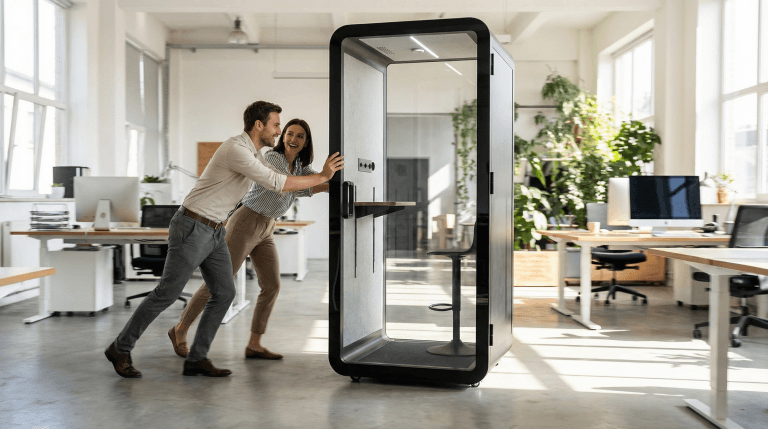
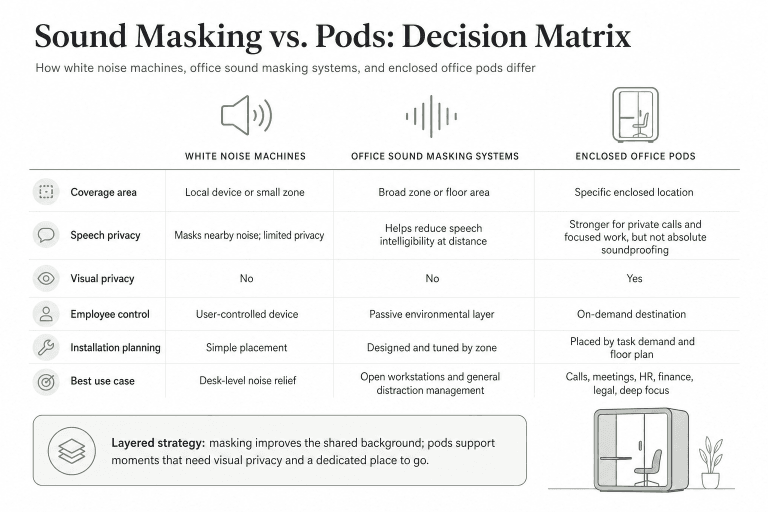
For recurring small-group calls that require separation from surrounding desks, assess the available enclosed meeting space. When comparing meeting pods, check the proposed capacity, speech privacy requirements, ventilation, and space for the meeting equipment. Test the actual setup with a remote participant before relying on it for customer discussions.
Set a Fallback Before the Meeting Starts
Run one final check from each participant’s normal seat: can they read the correct file revision, hear and be heard, see the detail needed for their contribution, and speak privately? Check connection and power for the planned call and screen sharing.
Match the fallback to the interruption. If video fails during a document review, continue with audio only if everyone can still open the document and identify the same detail. If the task requires a live view of a fault, restore that view or pause the inspection. After any interruption, recap the point under discussion before requesting agreement.
Ask the people responsible to confirm their decision, then record it. Keep unresolved items open for follow-up.
Put four practical details in the invitation:
- The decision or result needed by the end.
- The participants whose input or approval is required.
- The chosen format, joining details, and files to review.
- The fallback if someone cannot hear, see the work, or participate privately.
When there is no decision, inspection, or discussion to complete together, send the update in writing and invite questions. Reserve the meeting for the work that needs people present at the same time.