1. Define the task
Clarify the team’s needs: focused computer work, video calls, interviews, private one-to-one work, or mixed use.
Check work pod fit
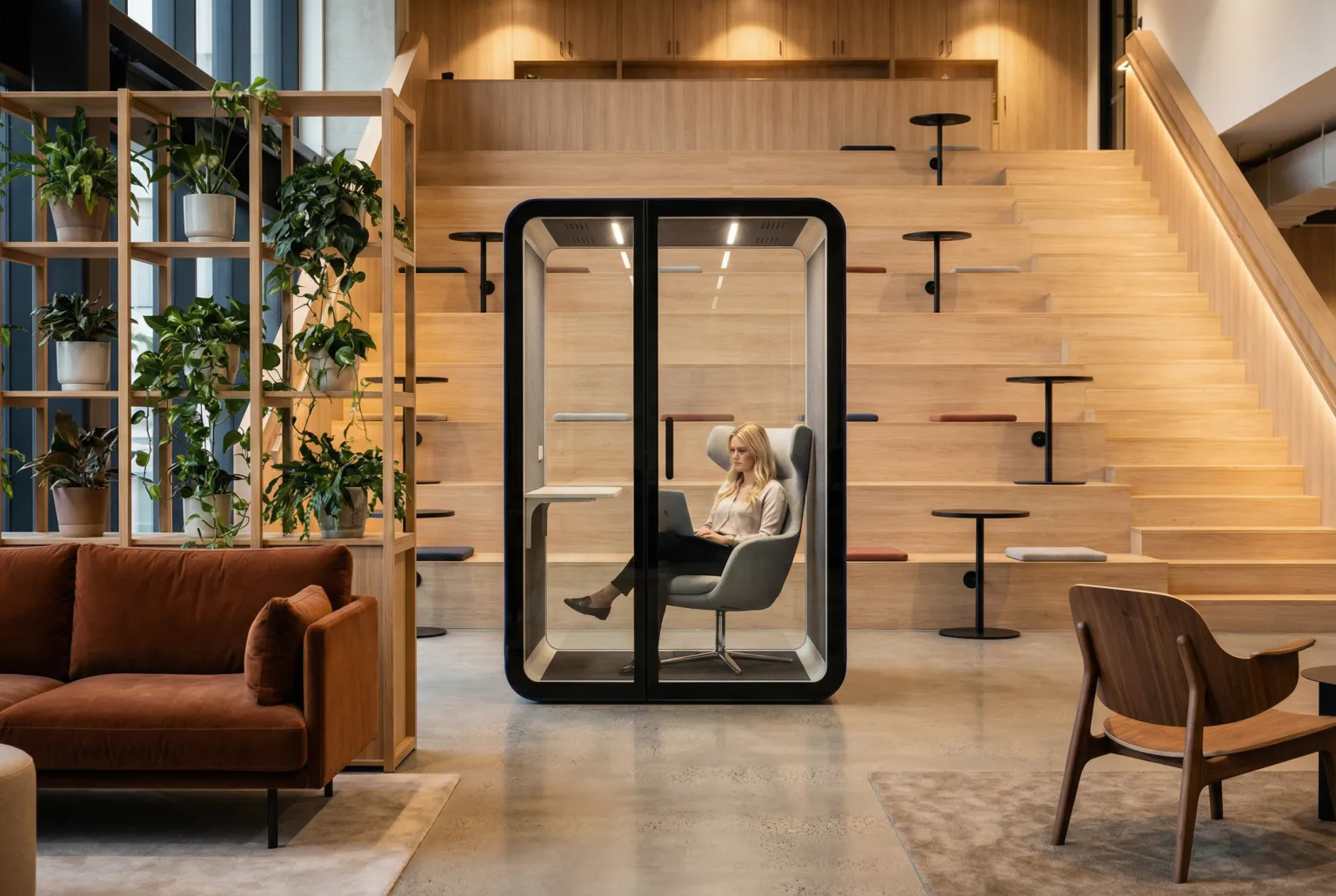
Work pod planning guide
Match the pod to the task, session length, privacy need, workstation setup, floor plan, and project budget. When the requirements are clear, compare the current B&H Ergonomics work pod collection.
A work pod is an enclosed office workspace designed for focused solo work, longer laptop sessions, private video calls, and compact one-to-one conversations. Choose one by the task it must support, then verify acoustic evidence, desk ergonomics, ventilation, lighting, power, usable interior space, delivery access, and total project scope. A phone booth is usually better for short calls, while a meeting pod is better for recurring group collaboration.
Complete the decisions in order. Product comparison is more useful after the workplace need and site constraints are clear.
Clarify the team’s needs: focused computer work, video calls, interviews, private one-to-one work, or mixed use.
Check work pod fitCompare Elite-M, Flex-M, and Oasis-M by privacy priority, daily use, and project budget.
Use the model selectorCheck acoustic evidence, ergonomics, airflow, lighting, power, footprint, and the delivery path.
Review buyer checksGive suppliers the same quantity, configuration, delivery term, and support requirements.
Use the quote checklistA work pod, sometimes called a focus pod or deep work pod, is an enclosed workspace that gives an individual more control over speech distraction, visual movement, lighting, airflow, and workstation setup than an open desk.
The useful distinction is the task. A work pod should support meaningful computer-based work, not only a quick call. The interior therefore needs to be evaluated as a workstation: desk depth, legroom, monitor position, chair fit, power, ventilation, lighting, and the expected session length all matter.
Choose by the dominant task rather than the product label. A larger enclosure is not automatically a better match. When the decision rests on session length, seating, and desk work, compare sitting versus standing phone booth use before selecting the format. Short calls may suit a compact booth, while sustained computer work calls for a usable workstation and enough room to change posture.
| Workspace Type | Primary Task | Workspace Requirement | Choose It When |
|---|---|---|---|
| Work pod | Focused solo work and compact one-to-one use | Usable desk, chair space, screen comfort, power, lighting, and ventilation | The user needs to complete meaningful work, not only take a call. |
| Office phone booth | Short calls and quick video meetings | Compact call surface, speech privacy, face lighting, airflow, and charging | Call volume is the main problem and floor area is limited. |
| Meeting pod | Recurring group collaboration | Shared table, group seating, display or camera planning, and team airflow | Two or more people need a room for discussion more often than solo focus. |
A good purchase starts by identifying the tasks that are currently failing in the open office.
| Buyer Situation | Fit | Planning Direction |
|---|---|---|
| Writing, coding, analysis, design review, or long-form reading | Strong | Prioritize workstation comfort and protection from recurring interruption. |
| Private video calls that also require documents, screens, or note-taking | Strong | Check desk depth, face lighting, power, ventilation, and speech privacy together. |
| Interviews, coaching, or compact one-to-one conversations | Model-dependent | Confirm capacity, furniture layout, acoustic expectation, and intended session length. |
| Only short, high-turnover calls | Usually oversized | Compare a one-person office phone booth first. |
| Recurring team meetings | Usually not suitable | Use a meeting pod sized for the actual group and collaboration tools. |
| Full-time assigned private office | Needs review | Evaluate local requirements, accessibility, comfort, scheduling, and whether a built room is more appropriate. |
Review the pod as one operating system. A strong result in one category cannot compensate for poor workstation fit or an impractical site plan.
Ask for the test method, metric, exact model, tested configuration, report source, and conditions. Avoid treating every decibel figure as interchangeable.
Confirm desk depth, legroom, chair movement, screen position, keyboard and mouse space, and whether the setup fits the intended task duration.
Work pod ergonomics guideReview airflow path, control settings, fan sound, inlet and outlet position, service access, and comfort during a realistic occupied trial.
Check brightness, glare, face lighting, color-temperature controls where available, glazing, and the balance between privacy and visibility.
Confirm destination-compatible power, charging ports, cable routing, monitor support, data needs, and the location of controls inside the pod.
Compare exterior and usable interior dimensions, door operation, service space, packed components, corridor turns, elevator access, and final placement.
Use the model position to narrow the shortlist, then confirm the current configuration and project-specific quotation.
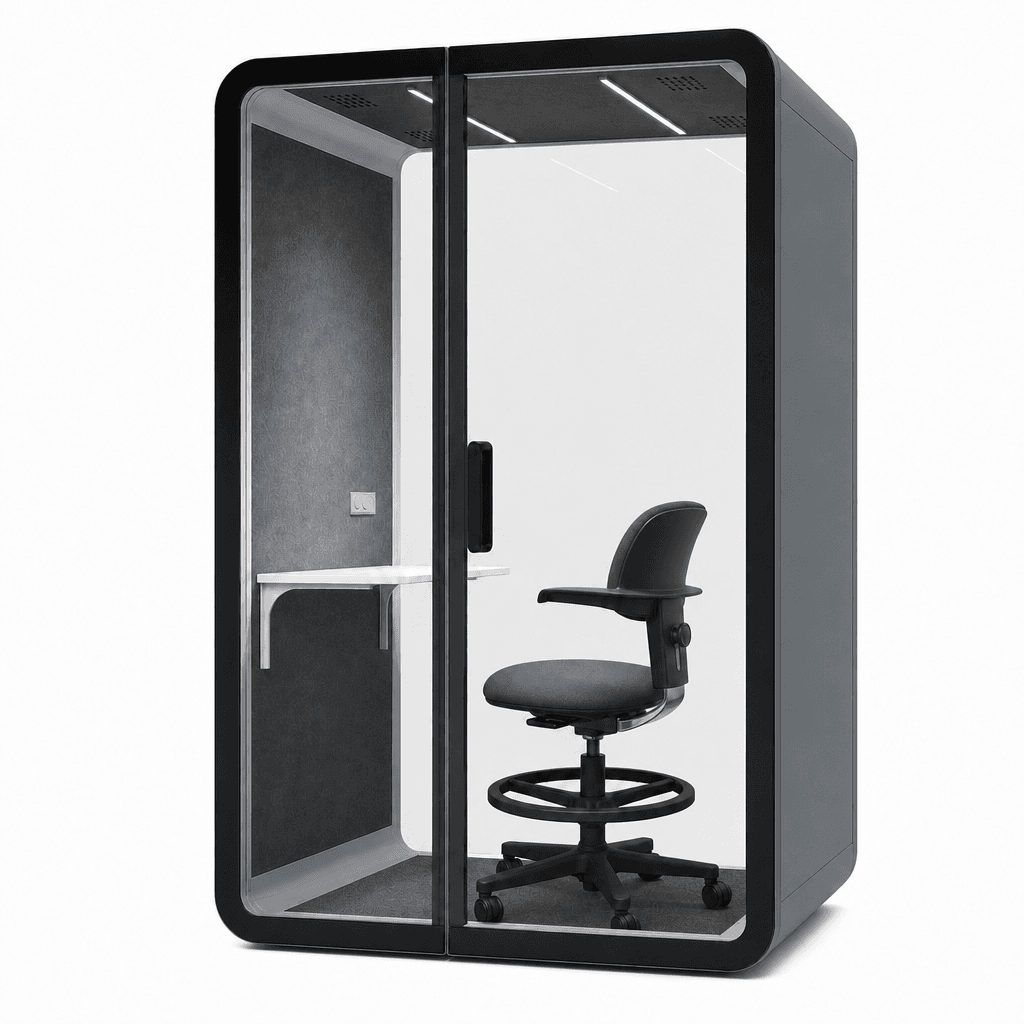
Start with Elite-M when stronger acoustic privacy, premium daily use, and a higher-performance focus zone are the main priorities.
View Elite-M work pod
Start with Flex-M when the office needs a balanced cost-to-performance route for everyday focus, video calls, interviews, and short one-to-one work.
View Flex-M work pod
Start with Oasis-M when the project needs practical enclosed focus capacity and tighter control of the initial product budget.
View Oasis-M work pod| Decision Factor | Elite-M | Flex-M | Oasis-M |
|---|---|---|---|
| Best starting point | Higher-performance focus and privacy zones | Balanced everyday rollout | Budget-conscious focus capacity |
| Typical project priority | Acoustic evidence and premium daily use | Cost-to-performance across multiple teams | Practical enclosed workspace with tighter upfront budget |
| Common uses | Focused work, private calls, executive or higher-privacy tasks | Focused work, video calls, interviews, and short one-to-one use | Everyday focused work and basic private workspace needs |
| Buyer action | Confirm report, configuration, furniture, finish, and site scope | Confirm report, daily-use setup, quantity, and site scope | Confirm current configuration, assembly plan, and site scope |
Use results only when the test method, metric, model, and configuration are clear. The practical target is useful acoustic privacy, not an expectation that every sound will disappear.
| B&H Model | Method | Reported Result | Buyer Verification |
|---|---|---|---|
| Elite-M | ISO 23351-1 | 33 dB speech level reduction, Class A | Request the current report and confirm that the quoted configuration matches the tested product. |
| Flex-M | ISO 23351-1 | 30.7 dB speech level reduction, Class A | Request the current report and confirm that the quoted configuration matches the tested product. |
ISO 23351-1 addresses speech level reduction for furniture ensembles and enclosures. The Elite-M and Flex-M figures describe speech level reduction under the stated method; they do not promise identical performance for every voice, frequency, office, installation, or measurement position. Acoustic results vary by test method, installation, site conditions, surrounding noise, and measurement setup.
A work pod is often used longer than a compact call booth. Test the complete setup with the devices, furniture, posture, and session pattern the office expects.
| Comfort Area | What to Test | Warning Sign |
|---|---|---|
| Desk and screen | Laptop, monitor, keyboard, mouse, documents, and safe cable routing | The user must twist, crowd the work surface, or look down for the full session. |
| Chair and legroom | Chair movement, knee clearance, entry path, and posture changes | The chair blocks the door or the user cannot reposition comfortably. |
| Airflow | Occupied trial at realistic session length with ventilation operating | The pod feels stale, hot, drafty, or distractingly loud. |
| Lighting | Screen glare, document visibility, face lighting, brightness, and controls | Reflections, harsh contrast, or uncomfortable fixed light make the pod tiring. |
| Visual privacy | Clear or frosted glazing, sightlines, and the user’s preference for visibility | The user feels exposed or, conversely, uncomfortable with too little external visibility. |
| Controls and power | Reachable controls, outlet location, charging, and destination compatibility | Cables cross the entry route or controls are difficult to reach while seated. |
For workplaces that need more control over light, visual exposure, and speech distraction, review the B&H Ergonomics guide to work pods for neurodiversity as part of the broader workplace plan.
Start with peak simultaneous focus demand, not a universal employee-to-pod ratio. Observe when employees need enclosed space, how long sessions last, which departments compete for it, and whether short calls are consuming capacity that should be handled by phone booths.
A useful comparison separates the product from delivery, site, assembly, and operating scope. Do not use an unsupported productivity percentage to justify the purchase.
| Cost or Value Area | What to Clarify | Why It Changes the Decision |
|---|---|---|
| Product configuration | Model, furniture, glazing, lighting, power, finish, and optional changes | Two similar-looking quotes may include different working setups. |
| Quantity and rollout | Pilot, department batch, or multi-site program | Standardization and mixed-model planning can change the project route. |
| Freight and import scope | Shipping method, duties, taxes, customs-clearance responsibility, and destination | Base product price is not the same as landed project cost. |
| Delivery term | B&H DDP quote to the stated address with unloading included, or CIF to the destination port | With a CIF quote, the buyer arranges port pickup and import customs clearance. |
| Assembly | How easy the pod is to assemble and whether the necessary assembly tool kit is included | Complex assembly or a missing tool kit can delay setup and add local labor costs. |
| Operational value | Booking failures, meeting-room misuse, recurring focus demand, and relocatability | Use observed workplace problems instead of invented productivity claims. |
| Support | Warranty handling, documentation, parts, maintenance, and service path | Long-term operating risk belongs in the comparison. |
Use the same questions for every shortlisted model. A vague answer becomes visible before it reaches the purchase order.
| Score Area | Strong Answer | Weak Answer |
|---|---|---|
| Task fit | Named user, task, session pattern, and capacity | Selected only because the product looks quiet |
| Acoustic evidence | Named method, metric, exact model, configuration, and current report | Generic soundproof claim or unrelated material rating |
| Ergonomics | Desk, chair, legroom, screen, posture, and controls tested | Exterior dimensions used as the only comfort evidence |
| Ventilation and lighting | Occupied-use comfort, fan sound, airflow, glare, and controls reviewed | Fan count or light wattage shown without user experience |
| Site fit | Footprint, door, service space, power, route, and local review confirmed | Product chosen before the building route is measured |
| Delivery and assembly | Door-to-door delivery availability, delivery term, unloading scope, assembly ease, and included tool kit confirmed | Delivery or assembly scope remains unclear |
| Commercial scope | Configuration, freight, duties, exclusions, timing, and support comparable | Suppliers quote different scopes under one total |
| After-sales path | Warranty contact, parts, manuals, maintenance, and service ownership clear | No documented support route after installation |
A complete project brief makes model recommendations and supplier quotes easier to compare.
Share the intended tasks, quantity, preferred model route, acoustic priority, floor plan, destination, finish, delivery access, and assembly expectations. B&H Ergonomics can use that scope to recommend a practical next step.
Short answers to the questions that most often change product type, model, quantity, or project scope.
In office buying language, work pod and focus pod often describe the same enclosed workspace category. Work pod emphasizes the complete workspace, while focus pod emphasizes the concentration task. The actual desk, chair space, lighting, airflow, power, acoustic evidence, and capacity matter more than the label.
There is no universal session limit for every model or user. Match the intended session length to the pod’s usable desk, chair fit, posture changes, ventilation, lighting, controls, and organizational policies. Test the configured pod with real equipment before a large rollout.
Work pods can improve acoustic privacy and reduce distraction, but they should not be presented as eliminating every sound. Ask for the named test method, metric, exact model, tested configuration, current report, and the limitations that apply to the intended office location.
Estimate quantity from peak simultaneous focus demand rather than headcount alone. Separate quick calls from longer work sessions, map demand by department and floor, pilot uncertain locations, and expand after reviewing occupied time, failed bookings, placement, and user comfort.
Start with Elite-M when stronger acoustic privacy and premium daily use are the priority. Start with Flex-M for balanced cost-to-performance across everyday focus zones. Start with Oasis-M when the main requirement is practical enclosed focus capacity with tighter initial budget control. Confirm the current configuration and project scope before ordering.