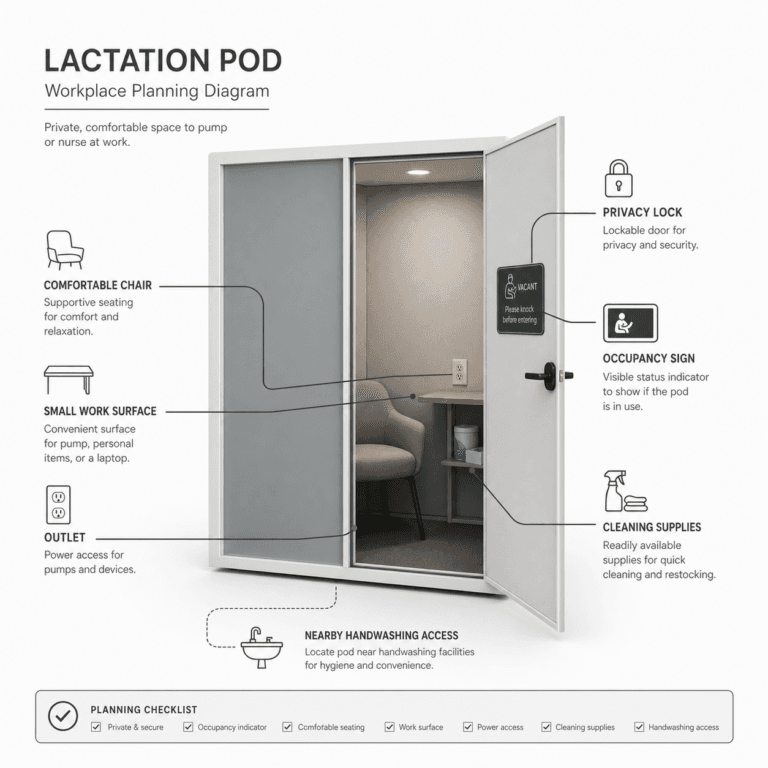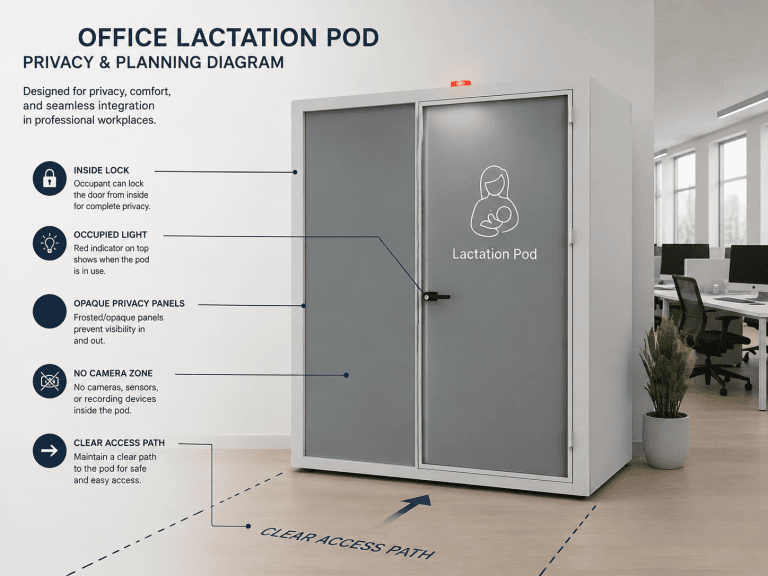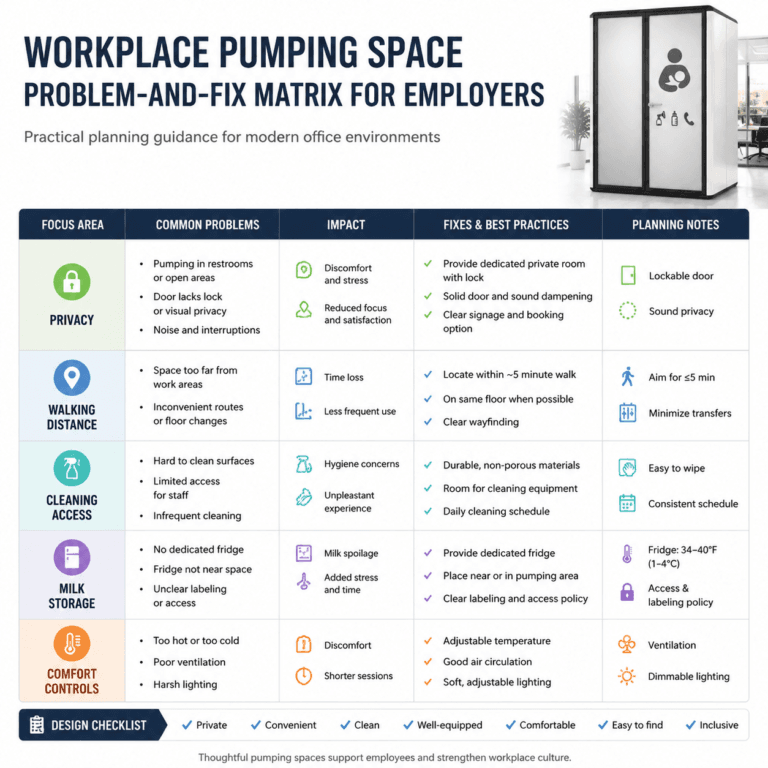
A lactation room sign can be a graphic sticker, a text label, or a combination of both. Choose a graphic that clearly identifies the space for breastfeeding or pumping, and add Lactation Room if the image needs explanation. Keep occupancy information and operating instructions separate so the door remains easy to understand.
Last Updated: September 15, 2026 | Author: William | Review: Richard

What Should a Lactation Room Sign Show?
Start with the identification already supplied. B&H Ergonomics’ Care-FM lactation pod has a lactation-themed graphic sticker on its door. If users recognize its purpose, keep that sticker rather than adding a duplicate nameplate.
Three kinds of information can appear at the door, but each has a different job:
| Door information | What it tells the user | Example |
|---|---|---|
| Identification graphic or label | What the space is for | Breastfeeding graphic with “Lactation Room” |
| Occupancy indicator | Whether someone is inside | Red when occupied, green when unoccupied |
| Short instruction notice | What to expect or do | “Lighting and ventilation start automatically when you enter.” |
Give the identification graphic the clearest visual position. Add the other information only where it helps someone use the space.
Choosing a Lactation Room Door Graphic
Choose an image with an understandable meaning
A graphic depicting breastfeeding communicates the intended use more directly than a generic heart, flower or wellness symbol. Decorative elements can accompany it, but they should not make the room’s purpose harder to recognize.
Before approving the artwork, show it to someone unfamiliar with the room and ask what they think it means. If they interpret it as a baby-changing room, nursery or general rest area, add a clear text label or choose a less ambiguous design.
Check contrast and the actual door surface
Review the sticker against the door it will be applied to. Thin lines, small details and a low-contrast color can disappear against a patterned or similarly colored surface.
For a glass door, check the graphic with the interior lights both on and off. A design that looks clear on a white artwork proof may look different against the installed glass. Matte or glossy finishes should also be reviewed under the lighting at the door so reflections do not obscure the image.
Keep placement simple
Place the sticker on an easily visible, flat part of the door. Leave the handle, occupancy light and controls unobstructed. Separate it from the operating notice so users can recognize the space without reading a block of instructions.
Before ordering, confirm that the adhesive is suitable for the actual glass or door finish and compatible with the facility’s cleaning method. Ask the supplier how the sticker should be applied and replaced.
For permanent room-identification signage, have the sign supplier confirm any applicable tactile, Braille and mounting provisions for the building. A decorative sticker should not be assumed to satisfy those provisions by itself.
What Words Should Accompany the Graphic?
Choose the shortest wording that explains the space accurately. Lactation Room is a clear default for a dedicated room; Lactation Pod describes a standalone enclosure.
| Door sign arrangement | Suggested text | When to choose it |
|---|---|---|
| Graphic only | No additional wording | Intended users already recognize the supplied sticker. |
| Graphic with one room label | Lactation Room | A dedicated room needs explicit identification. |
| Graphic with one pod label | Lactation Pod | A standalone enclosure needs a text label. |
| Graphic, label and one purpose line | Lactation Room / Private Space for Pumping or Breastfeeding | Users need to know that expressing milk is an intended use. |
| Graphic with an established workplace name | Nursing Room | This is the name employees already use. |
Keep the main label visible whether the space is occupied or empty. A fixed sticker saying In Use cannot identify the current status unless it can be changed or covered.
For the expanded room sign, arrange the copy beneath the graphic like this:
Lactation Room
Private Space for Pumping or Breastfeeding
Keep the two lines together, with the room name larger than the explanation. This is a suggested text layout, not a description of Care-FM’s supplied sticker. Do not repeat the room name elsewhere on the door.
Does the Door Sign Need an Occupancy Indicator?
A lactation graphic identifies the space; it cannot tell the next person whether someone is inside. An occupancy indicator adds that information, but it is a convenience feature separate from the privacy provided by the enclosure.
Care-FM includes an occupancy light as standard: red when occupied and green when unoccupied. A small legend beside the light can explain the colors:
Red: In Use — Please Do Not Enter
Green: Unoccupied
Care-FM’s opaque privacy glass completely conceals the person inside: no silhouette is visible. With the interior lights on, the glass appears brighter from outside, but the person behind it remains completely obscured.
That change in brightness is an additional visual cue. The red-and-green indicator makes the status more explicit; it is not what makes the glass private. An occupancy light also does not physically prevent entry.
When comparing lactation pods, check the supplied door graphic, occupancy indicator and user controls together. This avoids ordering duplicate signs or writing instructions for features the selected pod does not have.
Add a Short Instruction Notice When It Helps
A separate instruction sheet can help first-time users understand the automatic functions without cluttering the identification sticker.
Care-FM uses a built-in presence sensor. A notice can explain its automatic functions and the occupancy light:
Using This Lactation Pod
Red occupancy light: in use. Please do not enter.
Green occupancy light: unoccupied.
Lighting and ventilation start automatically when you enter.
The interior lights turn off automatically when the pod is unoccupied.
Please take your belongings with you when you leave.
Add any necessary instructions for the installed door lock after checking its actual operation. Keep workplace booking or cleaning directions brief and include them only where they apply.
Before printing, compare every instruction with the supplied equipment. Remove any direction to operate or reset a control that works automatically.