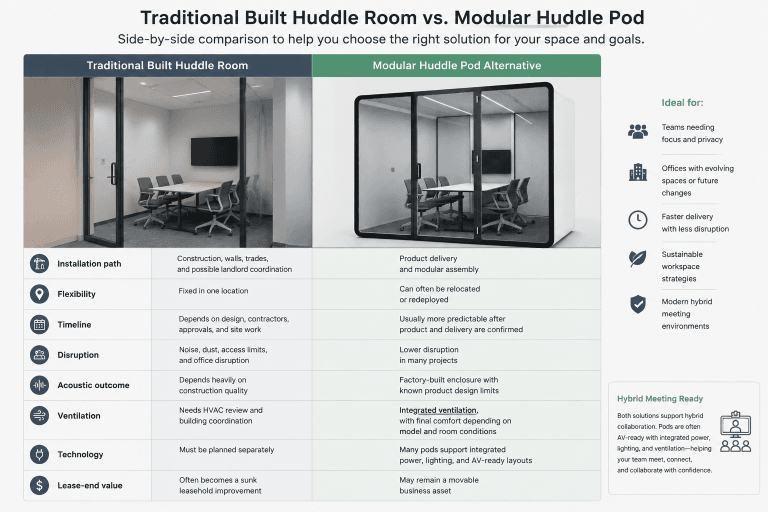
Quick Answer
A meeting pod ventilation system should match the model, occupancy, airflow path, fan setting, and surrounding HVAC. B&H lists 216 CFM for Elite L1, 324 CFM for Elite L2, and 432 CFM for Elite XL, with an approximate 1.5-minute air-refresh reference across current models under the stated configuration. The final specification should identify the model, fan setting, internal volume, and test conditions. B&H’s default is upper intake and upper exhaust; ceiling intake with floor or side-wall exhaust is available for custom layouts. A separate air conditioner is usually unnecessary in a conditioned office, but can be discussed when no HVAC exists.
Last Updated: August 3, 2026 | Author: Richard | Estimated Reading Time: 9 minutes
Why Ventilation Is a Meeting-Pod Specification
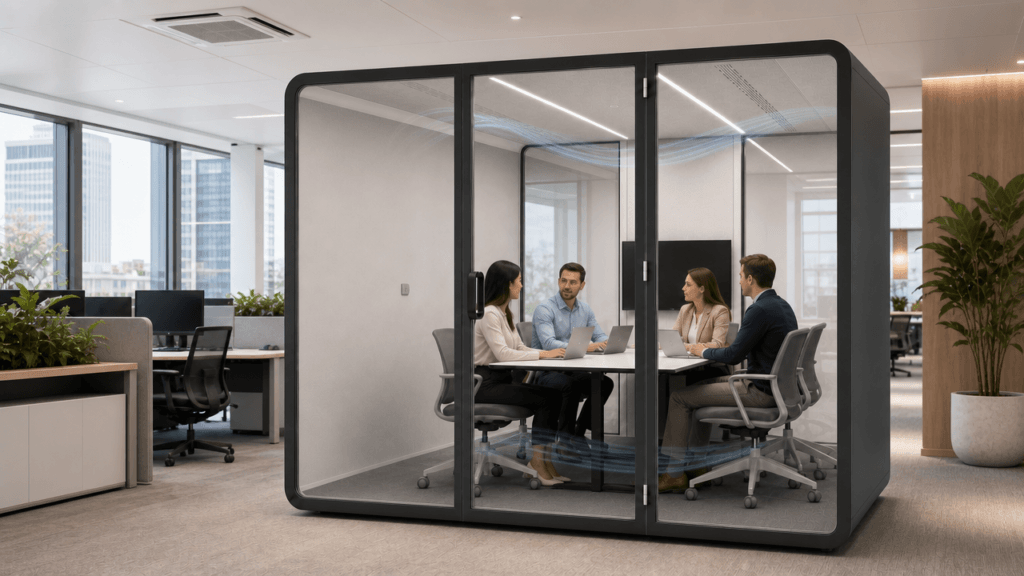
Ventilation affects whether a meeting pod remains comfortable and usable after the novelty wears off. Several people, laptops, displays, and lighting equipment add heat to a small enclosed volume. A meeting that lasts 45 or 60 minutes exposes weak airflow more clearly than a short conversation.
The practical questions are straightforward:
- Does the system move enough air for the model and the expected occupancy?
- Does the airflow path reach the occupied zone instead of moving directly from intake to exhaust?
- Can the fan speed be adjusted for a short huddle, a longer meeting, or a video call?
- Does the system work with the surrounding office HVAC?
- Can a project add cooling when the room itself has no air conditioning?
These questions belong in the product specification and site review. A fan that is present but poorly matched to the pod, the room, or the way people use it is not a complete ventilation solution.
This page focuses on multi-person meeting pods. Do not transfer a one-person phone-booth airflow figure to a larger enclosure: meeting-pod ventilation must account for group occupancy, seating, equipment heat, interior volume, and the airflow path around the meeting table.
CFM, Air-Refresh Interval, and ACH: What Buyers Can Compare
CFM measures airflow volume
CFM means cubic feet per minute. It describes how much air the fan system moves under a stated configuration. It is useful for comparing models, but CFM alone does not tell you how many times the air inside a pod is replaced.
ACH depends on the internal volume
Air changes per hour (ACH) relates airflow to the internal air volume:
ACH = CFM x 60 / internal air volume in cubic feetThe calculation only becomes meaningful when the supplier provides the internal volume and explains the operating condition. Fan setting, grille condition, installation, and the difference between rated and measured airflow can all change the result. Do not turn a model’s CFM number into a universal ACH promise without those inputs.
ASHRAE Standard 62.1 provides minimum ventilation rates and broader indoor-air-quality measures for buildings. It is useful background for a facility team, but it does not establish one universal ACH requirement for every meeting pod. Building HVAC design, local requirements, pod configuration, and the actual use case still need separate review. See the ASHRAE Standards 62.1 and 62.2 resource for the official standard context.
How to read the approximately 1.5-minute refresh reference
B&H reports an approximate 1.5-minute air-refresh interval across the current meeting-pod models. Treat this as a B&H configuration reference, not as a promise that every installation will produce the same temperature, CO2 level, or comfort result. Before purchase, ask the quote or specification sheet to identify the model, fan speed, airflow basis, internal volume, and test conditions behind the interval.
B&H Meeting-Pod Airflow by Model
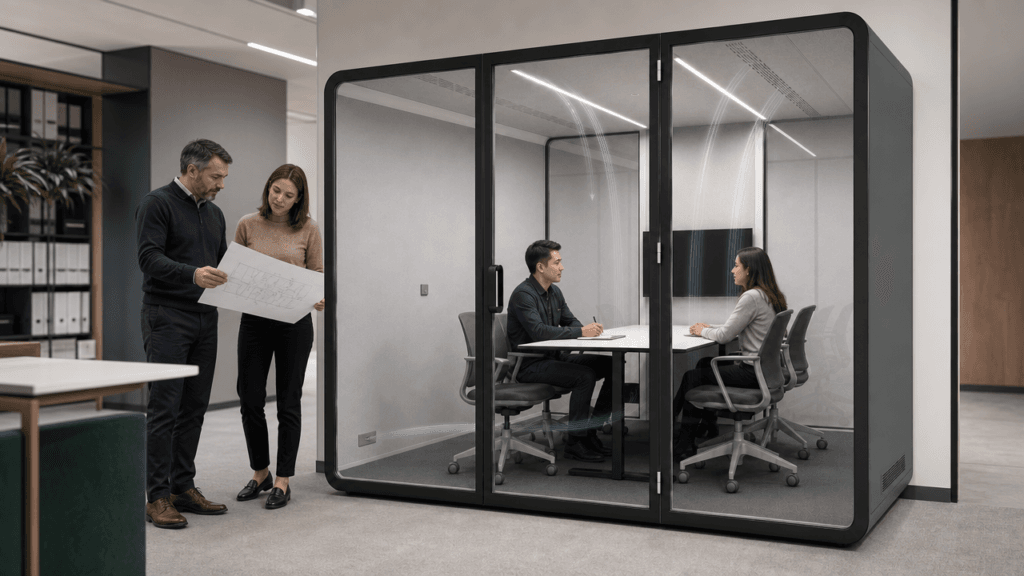
The current B&H airflow references are:
| Model | Listed airflow | Planning use | What to confirm before ordering |
|---|---|---|---|
| Elite L1 | 216 CFM | Compact meetings and smaller footprints | Final model volume, occupancy pattern, fan setting, and airflow path |
| Elite L2 | 324 CFM | Deeper small-group meeting layouts | Seating and equipment heat load, grille locations, and operating noise |
| Elite XL | 432 CFM | Larger meeting-pod layouts and longer group sessions | Full layout drawing, cooling assumptions, service access, and site HVAC |
Use the airflow number with the actual meeting behavior. A four-person meeting with laptops and a display has a different comfort requirement from a short two-person check-in. The right model is the one whose size, airflow, seating, equipment, and installation conditions fit the work the pod will perform.
For model and configuration comparison, start with the B&H meeting pods collection. Ask for the exact ventilation specification with the quote rather than comparing a generic CFM number from a different model or fan setting.
Default and Custom Airflow Paths
B&H’s default meeting-pod arrangement uses an upper intake and an upper exhaust. This creates a controlled recirculating path through the enclosure while the pod exchanges air with the surrounding office environment. The path should be reviewed with the seating, table, screen, lighting, and door position shown on the installation drawing.
For a project that needs a different movement pattern, B&H can discuss a custom arrangement with intake through the ceiling and exhaust through the floor base or a side-wall panel. The best location depends on the pod footprint, occupant position, surrounding HVAC direction, floor and ceiling conditions, service access, and the project’s acoustic priorities.
The airflow drawing should answer four questions:
- Where does air enter the pod?
- Where does air leave the pod?
- Does the path cover the occupied zone rather than immediately short-circuiting between nearby openings?
- Can the grilles, fans, and service points remain accessible after furniture and equipment are installed?
Changing the outlet location is not only an installation detail. It can change draft perception, heat removal, grille visibility, service work, and how an opening is treated for speech privacy. Put the airflow direction in the approved drawing and final quote so the factory configuration and site installation match.
Fan Speed, Noise, and Acoustic Privacy
B&H meeting-pod configurations support adjustable fan speed. That gives the operator a way to balance airflow and user comfort across different meeting conditions. A lower setting may suit a short call or a quiet room; a higher setting may be appropriate for longer, denser meetings when the site and noise review support it.
Do not accept a fan noise claim without the conditions behind it. Ask for the measured noise level for the exact model at the selected fan setting, and ask whether the measurement was taken inside the occupied pod, with the door closed, and with the complete airflow path installed. The same fan can produce a different user experience when grilles, panels, filters, or a custom outlet are changed.
Airflow openings also need an acoustic review. The opening must allow air to move without creating an obvious sound path that weakens speech privacy. Ask the supplier to explain how the intake and exhaust design works with the enclosure, seals, glass, and surrounding office noise. Do not replace that system-level review with a single dBA number or an absolute “soundproof” claim.
Does a Meeting Pod Need Separate Air Conditioning?
When the office already has HVAC
Meeting pods are normally installed inside an office that already has heating and air conditioning. In that situation, the pod’s fans move and circulate room air through the enclosure; they do not need to be treated as a second building HVAC system. A separate air conditioner is usually unnecessary when the surrounding room is properly conditioned and the pod’s airflow path is correctly specified.
The site team should still check the pod location. A corner with weak supply air, direct solar gain, crowded equipment, or several enclosed pods can feel warmer than the average office even when the building system is operating normally.
When the room has no air conditioning
If the installation area has no HVAC, B&H can discuss an optional air-conditioning configuration for the project. This should be reviewed before the layout and electrical plan are finalized. The buyer should confirm:
| Review item | Why it matters |
|---|---|
| Cooling load | Occupants, laptops, displays, lighting, and the pod enclosure add heat |
| Unit location | The equipment must not block circulation, the door, grilles, or service access |
| Electrical load | Cooling can require more power than the ventilation system alone |
| Condensate and drainage | The proposed unit may need a defined method for moisture removal |
| Noise | The cooling unit must be evaluated with the fan and the meeting microphones |
| Maintenance | Filters, access panels, and service responsibility should be clear in the quote |
An optional air conditioner addresses temperature control. It does not remove the need to specify the ventilation path, fan control, and air-refresh reference separately.
Meeting-Pod Ventilation Specification Checklist
Use this checklist during a product comparison, layout review, or quote meeting:
| Checkpoint | What the supplier should document |
|---|---|
| Model and footprint | Exact model, external dimensions, and the approved interior layout |
| Occupancy and duration | Expected number of users, meeting length, equipment, and booking pattern |
| Airflow | Listed CFM and whether it is rated or measured under a stated condition |
| Air-refresh reference | The conditions behind the approximately 1.5-minute reference for the selected model |
| Internal volume | The volume and method used if ACH is quoted |
| Airflow path | Intake, exhaust, fan locations, and default or custom outlet position |
| Fan control | Available speed settings and how the selected setting is controlled |
| Noise evidence | Exact model, fan setting, room condition, door condition, and measurement position |
| Site HVAC | Supply-air condition around the pod and any heat or solar-load concern |
| Optional cooling | Cooling capacity, power, condensate, noise, access, and maintenance if no HVAC exists |
| Commissioning | Who checks airflow direction, fan operation, comfort, and final installation condition |
If a supplier can provide only a single CFM number but cannot explain the model, test condition, airflow path, or service arrangement, the ventilation specification is incomplete.
Commissioning and Maintenance Checks
At installation, verify that the actual pod matches the approved drawing. Check the intake and outlet positions, fan start-up, available speed settings, door closure, grille clearance, and any interaction with the room’s HVAC supply. Test the pod with the furniture and equipment in place, not only when the enclosure is empty.
During routine operation, facility teams should watch for:
- dust around intake and exhaust grilles;
- delayed fan start or unusual vibration;
- weaker airflow than the approved configuration;
- heat buildup during a normal meeting;
- a new mechanical sound that interferes with calls;
- furniture, storage, or signage covering an opening.
For the broader cleaning, seal, fan, and grille routine, use the B&H office pod maintenance guide. Maintenance cannot correct an underspecified system, but it can prevent dust, blocked paths, and small fan problems from reducing the performance that was specified.
FAQ
Does a meeting pod need its own air conditioner?
Usually not when the pod is installed in a properly conditioned office. The pod’s ventilation system moves and circulates room air, while the building HVAC provides the surrounding temperature control. If the room has no air conditioning, an optional cooling configuration can be reviewed with the pod specification.
What is the difference between CFM and ACH?
CFM is the airflow volume moved per minute. ACH relates that airflow to the pod’s internal volume over an hour. You need the CFM, internal volume, and stated operating condition to calculate a useful ACH value.
Can B&H change the meeting-pod airflow direction?
Yes. The default arrangement is upper intake and upper exhaust. B&H can discuss a custom configuration with ceiling intake and exhaust through the floor base or a side-wall panel when the project layout, service access, and site conditions support it.
Do all current B&H meeting-pod models use the approximately 1.5-minute refresh reference?
B&H reports that the approximate 1.5-minute air-refresh reference applies across the current models. Ask the final quote to identify the selected model, fan setting, airflow basis, internal volume, and test conditions so the reference is applied correctly to the project.
Can fan speed be adjusted for comfort and noise?
Yes. B&H configurations support adjustable fan speed. Select the operating setting together with the expected occupancy and meeting duration, then request noise evidence for that exact setting and model instead of relying on a generic fan claim.
For a reliable meeting pod ventilation decision, compare the model airflow, internal volume, path layout, fan setting, surrounding HVAC, and service plan as one specification. That gives the project team a clear basis for selecting a pod and identifying any cooling or installation work before the order is finalized.